Beautiful Nature 3D SVG V.2: A Creator's Guide
In the world of digital design and physical crafting, the difference between a good project and a great one often lies in the details. For professionals, hobbyists, and small business owners alike, finding assets that offer both aesthetic appeal and technical flexibility is a constant challenge. This is where Beautiful Nature 3D SVG V.2 enters the conversation. It is not merely a collection of images; it is a structured resource designed to streamline workflows for laser cutters, vinyl plotters, and digital illustrators. By understanding the specific architecture of this file set, creators can unlock new levels of efficiency and artistic expression in their work.
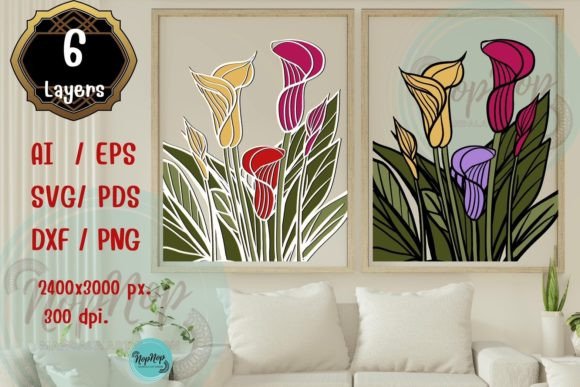
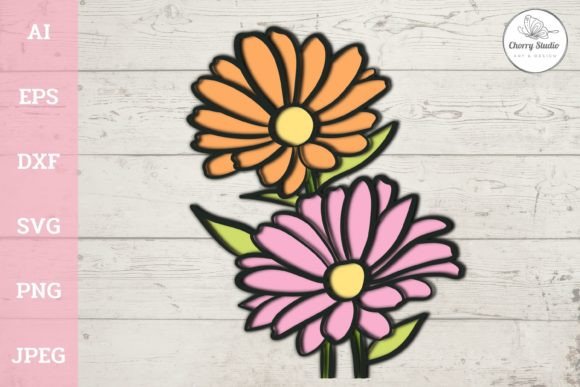
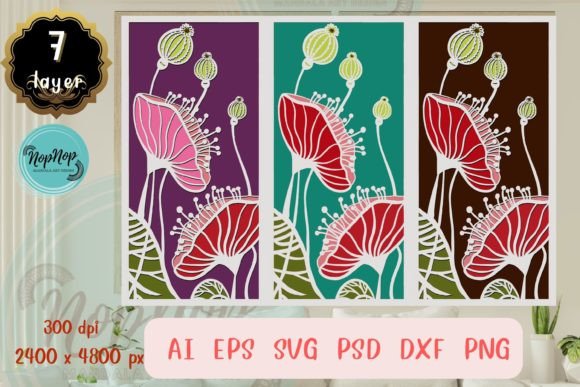
At its core, this product addresses a common pain point in layered design: organization and compatibility. The collection features seven distinct layers, meticulously separated into seven individual folders. This separation is crucial for anyone working with multi-material projects. Whether you are creating a shadow box, a layered paper greeting card, or a complex vinyl decal, having each element isolated allows for precise control over materials and colors. Instead of spending hours manually separating paths in your design software, the groundwork has already been laid, allowing you to focus immediately on assembly and execution.
Versatility Through File Format Diversity
One of the most significant advantages of Beautiful Nature 3D SVG V.2 is its extensive format support. In a typical design workflow, you might find yourself switching between different software ecosystems. A graphic designer might prefer Adobe Illustrator, while a CNC operator relies on DXF files, and a web developer needs clean SVG code. This package includes AI, EPS, SVG, PSD, and DXF formats within every folder. This universality ensures that regardless of your preferred toolset—be it CorelDRAW, Inkscape, Photoshop, or specialized cutting machine software—you can import the files without conversion errors or loss of quality.
The inclusion of DXF files, in particular, is a vital consideration for industrial and semi-industrial users. Many laser cutting machines and plasma cutters operate most efficiently with DXF inputs. By providing this alongside vector formats like EPS and SVG, the collection bridges the gap between digital artistry and physical fabrication. Furthermore, the files are provided in black, which is the industry standard for cut lines. This simplifies the setup process, as most cutting software interprets black vectors as cut paths by default. However, the true power lies in the editability; you can adjust the color of any layer instantly to match your brand palette or material choices, offering infinite customization possibilities.
High-Resolution Assets for Print and Digital Use
While the vector files cater to cutting and scaling, the raster components of this collection address high-fidelity printing needs. The archive includes a dedicated folder containing PNG files with transparent backgrounds, as well as another folder featuring 36 full-color PNGs optimized for print. These are not low-resolution web thumbnails; they are rendered at an artboard size of 2400 × 4800 pixels with a resolution of 300 DPI. This specification is critical for professionals who need to produce tangible goods.
For entrepreneurs selling prints, posters, or merchandise, 300 DPI is the baseline requirement for crisp, professional output. A lower resolution often results in pixelation when printed, which can damage a brand's reputation. With these dimensions, you can produce large-format portrait prints without worrying about image degradation. The transparent background option is equally valuable for marketers and bloggers who need to overlay nature elements onto existing designs, website headers, or social media graphics without the hassle of manual background removal. This dual approach—providing both scalable vectors and high-res raster images—makes the package a comprehensive solution for mixed-media projects.
Optimizing Workflow for Cutting Machines
For those utilizing Silhouette, Cricut, or other compatible cutting machines, the functionality of Beautiful Nature 3D SVG V.2 extends beyond simple aesthetics. The design features original, hand-drawn elements that have been digitally perfected to ensure smooth cutting paths. In the context of vinyl cutting or paper crafting, jagged nodes or overly complex paths can lead to tearing, weeding difficulties, or machine stalling. These files are engineered to mitigate those risks.
The "hand-drawn" aspect adds a layer of organic authenticity that purely geometric designs often lack. This human touch resonates well with consumers looking for artisanal-quality goods. When you combine this artistic style with the technical precision of optimized cut paths, you get a product that looks handmade but performs with machine-like reliability. Since the files are compatible with any machine supporting SVG, EPS, or DXF formats, you are not locked into a specific hardware ecosystem. This flexibility is essential for freelancers who may work with different equipment depending on the job requirements or for educators managing a classroom with varied tools.
Practical Applications Across Industries
The utility of this collection spans a wide range of applications. Consider a small business owner specializing in wedding invitations. They can use the seven layers to create intricate, multi-depth paper invites where each layer represents a different texture or shade of cardstock. The ability to scale the file size as needed means they can adapt the same design for a petite place card or a large welcome sign without losing detail.
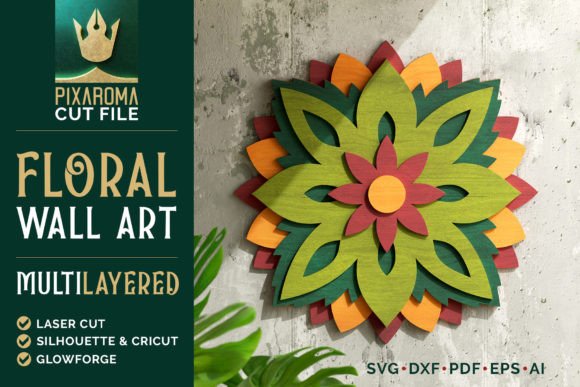
Similarly, interior designers and home decor makers can leverage these assets for creating wooden wall art. By assigning each of the seven layers to different stained woods, they can achieve a striking 3D effect that adds depth to a room. The clear separation of folders makes it easy to send specific layers to a laser cutter operator without confusion. For digital marketers, the full-color PNGs serve as ready-to-use assets for blog posts about sustainability, travel, or wellness, saving hours of stock photo searching and editing.
Considerations for Implementation
While Beautiful Nature 3D SVG V.2 offers robust features, it is important to approach its use with a clear plan. Because these are digital downloads, there is no physical inventory to manage, which is a benefit, but it also places the responsibility of file management on the user. With nine folders in the zip archive—including the seven layer folders, the transparent PNG folder, and the full-color print folder—maintaining an organized directory structure on your computer is recommended to avoid confusion during fast-paced projects.
Additionally, while the files are scalable, users should always consider the limitations of their specific materials. Just because a vector can be enlarged infinitely does not mean a piece of vinyl or wood can hold fine details at massive sizes. Testing cuts on scrap material is always advisable before committing to final production. Furthermore, while the black-and-white vector files are ready for cutting, users wishing to print the vectors directly should remember to assign colors within their design software first, as the default black may not suit all print intentions.
Ultimately, the value of this collection lies in its ability to reduce the friction between idea and execution. By providing high-resolution outputs, universally compatible formats, and intelligently separated layers, it empowers creators to produce higher quality work in less time. Whether you are a seasoned graphic designer looking to expand your asset library or a crafter seeking to elevate your homemade goods, understanding how to leverage these specific technical features will yield the best results. The combination of artistic integrity and technical readiness makes it a practical addition to any creative toolkit.